
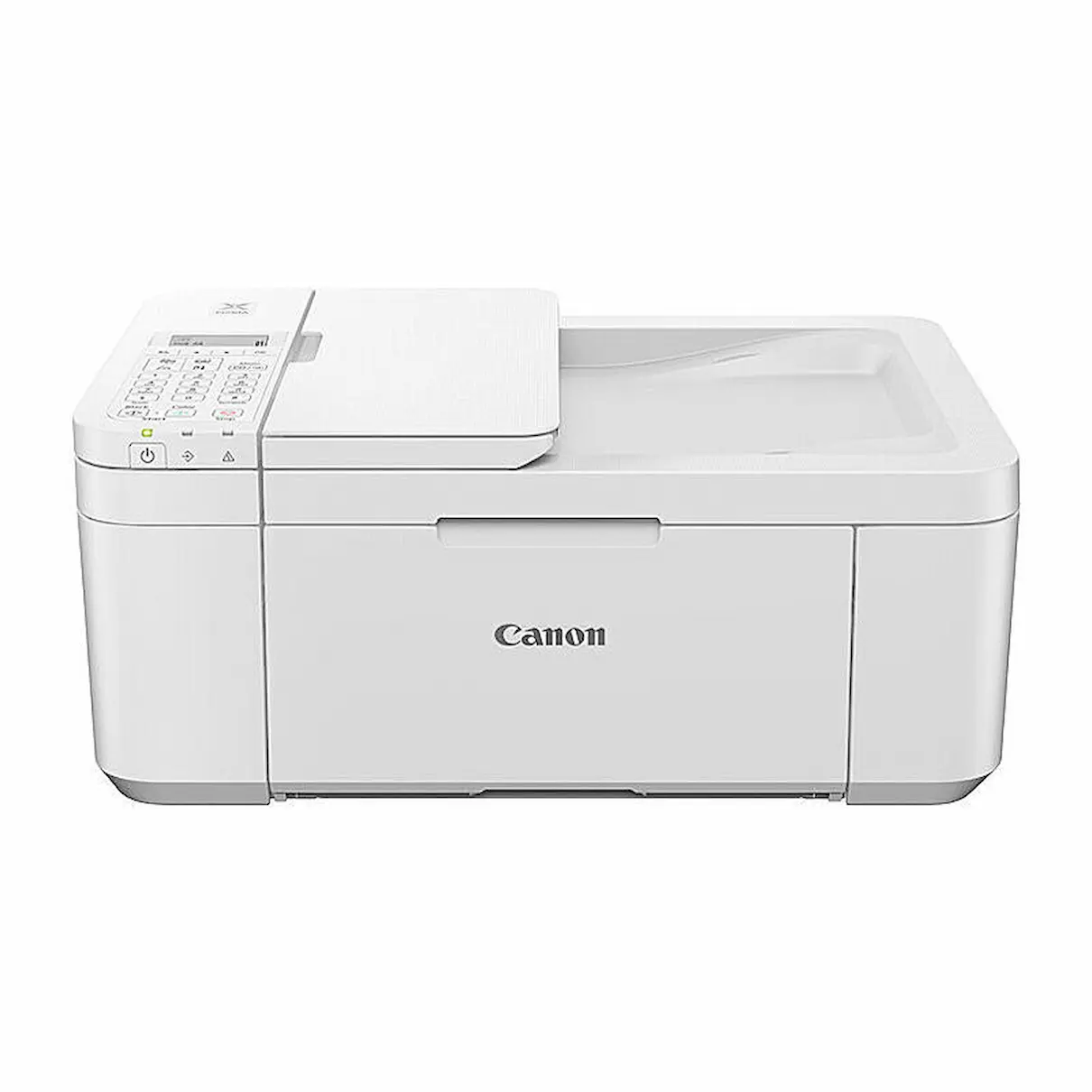




Canon Pixma TR4665 Colour Multi-function Printer
The Canon PIXMA TR4665 is a versatile home and small-office printer offering print, copy, scan and fax functionality in a compact and user-friendly design. With wireless connectivity, borderless photo printing and support for a wide range of media sizes, it provides a flexible solution for families, students and home offices.
Designed to handle everyday tasks, the TR4665 produces sharp black text and vibrant colour prints at up to 4800 × 1200 dpi. Automatic 2-sided (duplex) printing helps reduce paper use, while the built-in ADF supports fast copying and faxing of multi-page documents. With simple setup from the Canon PRINT app, users can print from smartphones, tablets or laptops with ease.
Key Features
• Print, Copy, Scan, Fax — all in one compact unit
• Automatic 2-sided (duplex) printing
• Wireless printing via Canon PRINT app, AirPrint and Mopria
• 4800 × 1200 dpi resolution for crisp documents and vibrant colour
• Borderless photo printing up to 4″×6″, 5″×7″ and 8″×10″
• 100-sheet plain paper capacity
• Compatible with PG-645 / PG-645XL black and CL-646 / CL-646XL colour cartridges
• Prints on a variety of media sizes including envelopes and custom lengths up to 676 mm
Specifications
• Print speed: 8.8 ipm (B&W), 4.4 ipm (Colour)
• Media sizes: A4, A5, B5, LTR, LGL, 4″×6″, 5″×7″, 8″×10″, DL envelopes, COM10 envelopes, and custom 89–215.9 mm × 127–676 mm
• Paper capacity: 100 sheets plain paper
• Connectivity: Wi-Fi, USB-B interface
• Print resolution: 4800 (H) × 1200 (V) dpi
• Borderless printing supported
• ADF included for multi-page copying and faxing
Compatible Ink Cartridges
• PG-645 Black
• PG-645XL Black
• CL-646 Colour
• CL-646XL Colour
What’s in the Box
• Canon PIXMA TR4665 Printer
• Setup ink cartridges
• Power cord
• Manuals & setup documentation
• USB cable not included
What ink cartridges does the Canon PIXMA TR4665 use?
Does the TR4665 support wireless printing?
Can this printer produce borderless photos?
What is the print speed of the TR4665?
What media sizes can the printer handle?
Printer Purchase Information (Important)
Printer warranties are provided directly by the printer manufacturer, not Inkjet Online. For warranty, technical support or troubleshooting enquiries, customers may be required to contact the manufacturer’s support service, as the manufacturer is best placed to diagnose printer faults and provide warranty assistance.
Change-of-mind returns are not accepted for printers. Once a printer has been opened, powered on or had ink, toner or other consumables installed, it is non-returnable for change-of-mind purposes. Customers should carefully check the printer’s specifications, features, dimensions, connectivity and operating system compatibility before purchasing to ensure the model is suitable for their requirements.
USB Cable Information
USB printer cables are not supplied unless specifically stated in the product contents. If you intend to connect the printer directly to a computer by USB, a compatible USB cable may need to be purchased separately.
Please check the printer’s available connection types and your computer or device before purchasing a cable, as USB connection requirements can vary between printer models.
Bulky Item Delivery
Printers are bulky items and are not eligible for free delivery. Additional freight charges apply and are calculated according to the printer, delivery location and available freight service.
Printers may be transported by road freight rather than air freight, depending on the model, destination and carrier. Road freight can take longer than standard delivery services, particularly for interstate and regional deliveries, so please allow additional transit time when ordering a printer. We ship from warehouses located in Adelaide, Melbourne, Sydney, Brisbane and Perth. Orders are dispatched quickly from the nearest warehouse for fast delivery across Australia.
Reviews
There are no reviews yet.