
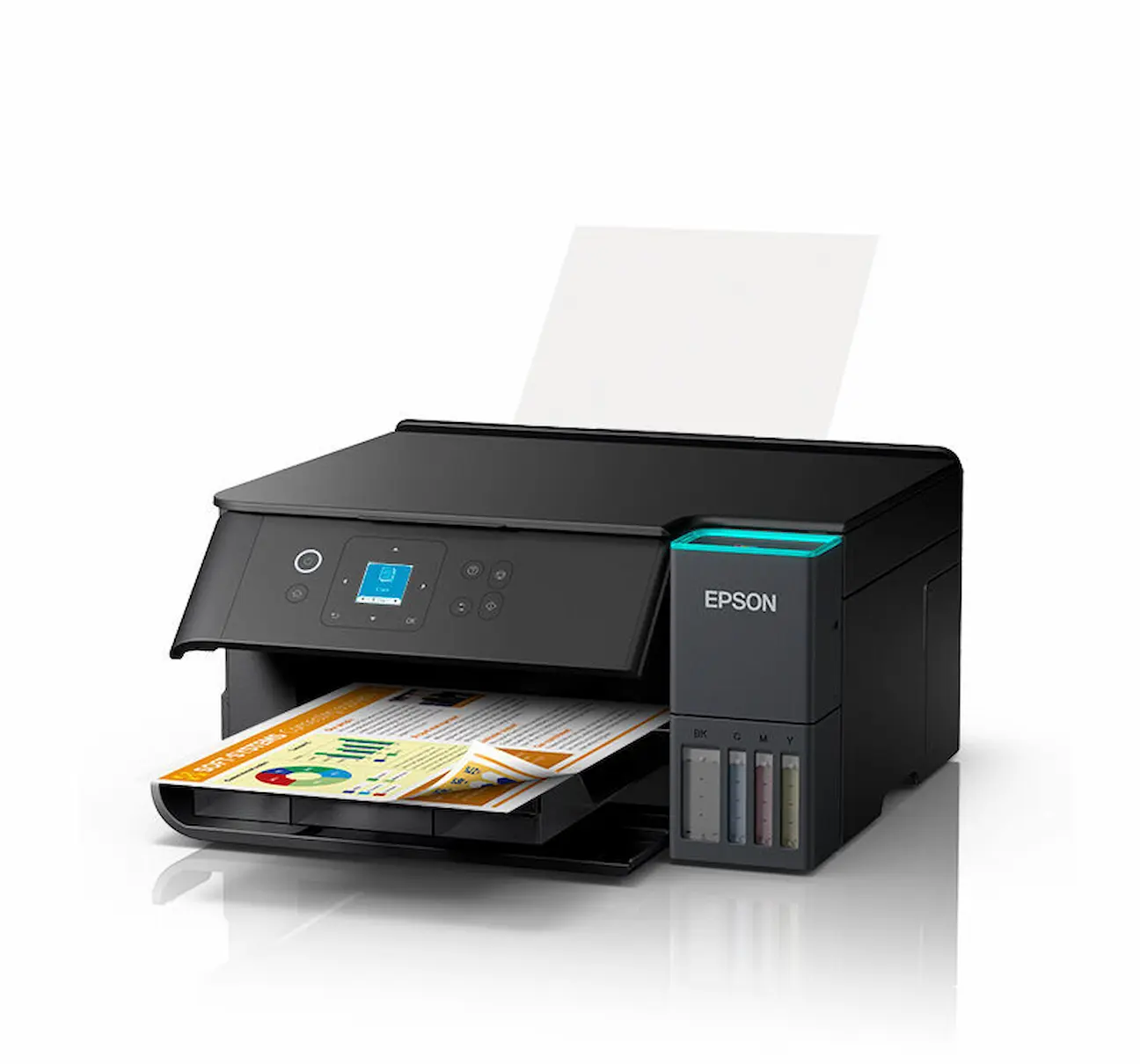



Epson EcoTank ET-2950 A4 4 Colour Multifunction Printer
The Epson EcoTank ET-2950 A4 4 Colour Multifunction Printer is a cartridge-free inkjet printer designed for everyday home and small office printing. Its integrated EcoTank system uses refillable ink tanks rather than conventional cartridges, providing a practical solution for users who regularly print documents and colour material.
This multifunction model combines printing, scanning and copying in one machine. Automatic duplex printing allows compatible A4 documents to be printed on both sides of the paper without manually turning each sheet over, helping reduce paper consumption.
Built-in Wi-Fi connectivity provides convenient wireless printing from compatible devices, while print speeds of up to 15 A4 pages per minute make the ET-2950 suitable for everyday document printing.
Key Features
- A4 colour multifunction inkjet printer
- Print, scan and copy functionality
- Cartridge-free Epson EcoTank ink system
- Integrated refillable ink tanks
- 4 colour printing
- Automatic duplex printing
- Up to 15 A4 pages per minute
- Built-in Wi-Fi connectivity
- Maximum paper size: A4
- Designed for home and small office printing
- No automatic document feeder
- No fax functionality
Specifications
Printer Type: Colour Multifunction Inkjet
Functions: Print, Scan, Copy
Print Technology: Inkjet / EcoTank
Colour Printing: Yes
Ink System: 4 Colour EcoTank
Maximum Paper Size: A4
A4 Print Speed: Up to 15 pages per minute
Automatic Duplex Printing: Yes
Duplex Scanning: No
Automatic Document Feeder: No
Wi-Fi: Yes
Fax: No
Product Code: C11CL41501
Automatic Duplex Printing
The ET-2950 supports automatic duplex printing, allowing compatible documents to be printed on both sides of the paper automatically.
This is particularly useful for multi-page documents and everyday office printing where reducing paper usage and creating more compact documents is desirable.
Scanning & Copying
The Epson ET-2950 provides both scanning and copying functionality alongside standard printing.
This model does not include an automatic document feeder (ADF) or duplex scanning. Documents that need to be scanned or copied are therefore handled using the printer’s scanner rather than an automatic multi-page document feeder.
Wireless Printing
Built-in Wi-Fi allows the ET-2950 to connect to a compatible wireless network, providing greater flexibility when positioning and using the printer around the home or office.
Wireless capability also reduces the need for a permanent USB connection between the printer and a computer.
Warranty
The Epson EcoTank ET-2950 is supplied with a 1-year manufacturer warranty provided by Epson, with an extension to 2 years upon eligible product registration.
Registration requirements, time limits, eligibility and warranty conditions are subject to Epson’s applicable terms. Customers wishing to obtain the extended warranty should complete the required registration directly with Epson.
Printer Purchase Information (Important)
Printer warranties are provided directly by Epson, not Inkjet Online. For warranty, technical support or troubleshooting enquiries, customers may be required to contact Epson Support, as the manufacturer is best placed to diagnose printer faults and provide warranty assistance.
Change-of-mind returns are not accepted for printers. Once a printer has been opened, powered on or had ink or other consumables installed, it is non-returnable for change-of-mind purposes. Customers should carefully check the printer’s specifications, features, dimensions, connectivity and operating system compatibility before purchasing to ensure the model is suitable for their requirements.
USB Cable Information
USB printer cables are not supplied unless specifically stated in the product contents. If you intend to connect the printer directly to a computer by USB, a compatible USB cable may need to be purchased separately.
Please check the printer’s available connection types and your computer or device before purchasing a cable, as USB connection requirements can vary between printer models.
Bulky Item Delivery
Printers are bulky items and are not eligible for free delivery. Additional freight charges apply and are calculated according to the printer, delivery location and available freight service.
Printers may be transported by road freight rather than air freight, depending on the model, destination and carrier. Road freight can take longer than standard delivery services, particularly for interstate and regional deliveries, so please allow additional transit time when ordering a printer. We ship from warehouses located in Adelaide, Melbourne, Sydney, Brisbane and Perth. Orders are dispatched quickly from the nearest warehouse for delivery across Australia.
Frequently Asked Questions
Is the Epson ET-2950 a multifunction printer?
Yes. The ET-2950 combines printing, scanning and copying in one A4 colour multifunction printer.
Does the Epson ET-2950 use cartridges?
No. It is an EcoTank printer with integrated refillable ink tanks rather than conventional ink cartridges.
Does the ET-2950 automatically print on both sides of the paper?
Yes. The printer supports automatic duplex printing, allowing compatible documents to be printed on both sides without manually turning the paper over.
Does the Epson ET-2950 have an automatic document feeder?
No. The ET-2950 does not have an automatic document feeder (ADF).
Does it support duplex scanning?
No. While the printer supports automatic duplex printing, it does not support automatic duplex scanning.
Can the ET-2950 print wirelessly?
Yes. It has built-in Wi-Fi for connection to a compatible wireless network.
Does the ET-2950 have fax functionality?
No. This model does not include fax functionality.
What is the maximum paper size?
The maximum specified paper size is A4.
What warranty does the Epson ET-2950 have?
The printer comes with a 1-year return-to-base warranty provided by Epson, which can be extended to 2 years upon eligible registration with Epson. Registration and eligibility conditions apply.
Does the printer include a USB cable?
A USB printer cable should not be assumed to be included unless specifically stated in the supplied contents. Purchase a compatible cable separately if required for your setup.
Who do I contact for technical support or warranty assistance?
Technical support and manufacturer warranty assistance are handled by Epson Support.
Reviews
There are no reviews yet.